


One connected workspace
Keep essential operational information together instead of relying on disconnected notebooks, spreadsheets and messaging threads.
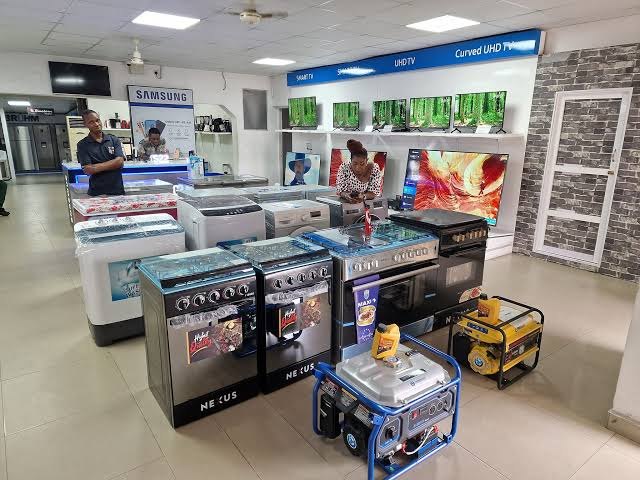
TondeSoft · Retail & Hospitality
Electronics and home appliance retailer management system. Tracks every individual refrigerator, television, and smartphone by unique serial/IMEI number, manages hire-purchase customer repayment installments, and runs the after-sales warranty workshop.
Track appliance sales, serial numbers, warranties, repairs, spare parts, installment plans and multi-branch inventory.
Designed for
Retail & Hospitality
Product focus
Connected operations
TondeSoft approach
Software that adapts to the way your business works.
A better way to manage
ElectroApplianceERP connects stock, sales, warranty and after-sales service. Each appliance can be traced from purchase to customer, and instalment collections are tracked until the last payment.
Ideal for: Electronics retail chains, home appliance showrooms, mobile phone dealers.
Keep essential operational information together instead of relying on disconnected notebooks, spreadsheets and messaging threads.
Give team members defined responsibilities and help managers review actions, approvals and outstanding work.
Use structured records and reports to understand activity, identify exceptions and make more informed decisions.
Discuss your branches, approval steps, reports and local operating requirements during product configuration.
Designed around your industry
A useful management system should connect the work people do every day with the information owners and supervisors need to make decisions.
Appliance sales often require serial-number traceability, warranties, repairs, spare parts and installment collections.
Record purchases and serials, process sales, register warranties, schedule repairs, issue spare parts and track installment plans.
Review stock by serial number, warranty exposure, repair turnaround, outstanding installments and branch sales.
Problems we solve
Serial numbers and sale dates support warranty checks.
Schedules and arrears reports guide follow-up.
Service jobs are tracked by status and technician.
Before and after
System capabilities
A closer look at the functions that can support your day-to-day activities. The final module setup can be aligned to your organization’s processes.
Manage individual serial number & imei tracking with consistent records, clear ownership and information that can be reviewed by the right team members.
Manage hire-purchase & work-and-pay ledger engine with consistent records, clear ownership and information that can be reviewed by the right team members.
Manage manufacturer warranty claim management with consistent records, clear ownership and information that can be reviewed by the right team members.
Manage repair workshop job cards & spare parts with consistent records, clear ownership and information that can be reviewed by the right team members.
Maintain stock balances, movement history and reorder visibility across stores, locations or departments.
Manage user roles and access control with consistent records, clear ownership and information that can be reviewed by the right team members.
Module explorer
Search the 14 modules covered in the feature catalogue to find the exact function you need.
A real-time command centre summarising sales, stock levels, hire-purchase status and revenue trends, giving managers an instant overview of how the…
A fast, intuitive checkout system for ringing up appliance sales in-store, handling receipts, discounts and multiple payment methods while…
Manages instalment-based appliance purchases, tracking repayment schedules and flagging accounts with a payment due so staff can follow up before…
Tracks every appliance across warehouses and showrooms — quantities, models, serial numbers and stock movement — so you always know what's available…
Automatically flags items falling below their reorder threshold, so purchasing teams can restock fast-moving appliances before they run out and sales…
Generate and print barcode labels for every product, and scan them at checkout or during stock-taking for fast, accurate, error-free inventory…
Keeps a complete record of customer purchase history, contact details and preferences, helping staff build stronger relationships and follow up on…
Manages supplier information and purchase orders end-to-end, from placing an order for new appliance stock to tracking delivery and reconciling…
Connects multiple branches or showrooms on one cloud-synced platform, so stock levels, sales and pricing stay consistent and up to date across every…
Maintains employee records, roles and attendance in one place, making it easy to manage shifts, performance and store staffing across all branches.
Automates salary calculations, deductions and payslip generation, reducing manual payroll work and ensuring staff are paid accurately and on time.
A built-in accounting module that consolidates sales, expenses and taxes into clear financial reports, giving owners and accountants an accurate…
Automatically generated monthly summaries of sales and revenue trends, helping management track growth, compare performance across periods, and plan…
Controls exactly what each staff member can access within the system, protecting sensitive sales, financial and customer data from unauthorised use.
No module matches that search. Ask us on WhatsApp; custom modules can be built.
Built with African operations in mind
Designed for organizations operating in Ghana and across Africa, where teams may need clear multi-branch oversight, Ghana cedi reporting, Mobile Money and cash collection visibility, SMS or WhatsApp communication, and practical workflows for local operations. Specific integrations and regulatory requirements are confirmed during solution scoping.

TondeSoft · Ghana
Local understanding. Connected business systems.
A day with ElectroApplianceERP
A customer buys a fridge on installment; the serial number is recorded, warranty starts, installment schedule is set, and when it needs repair the technician logs the job against the original sale.
Illustrative scenario. Actual workflows are configured with your team during implementation.
Who uses it
Role-based access helps each person see and do what their job requires.
Reviews sales, margins and receivables.
Process sales and installment agreements.
Handle repairs and spare parts.
Track installments and collections.
More capabilities
Trace each unit from purchase to sale.
Start dates, terms and claims.
Deposits, schedules and reminders.
Job cards and status.
Stock and issue to repairs.
Transfer and view stock per branch.
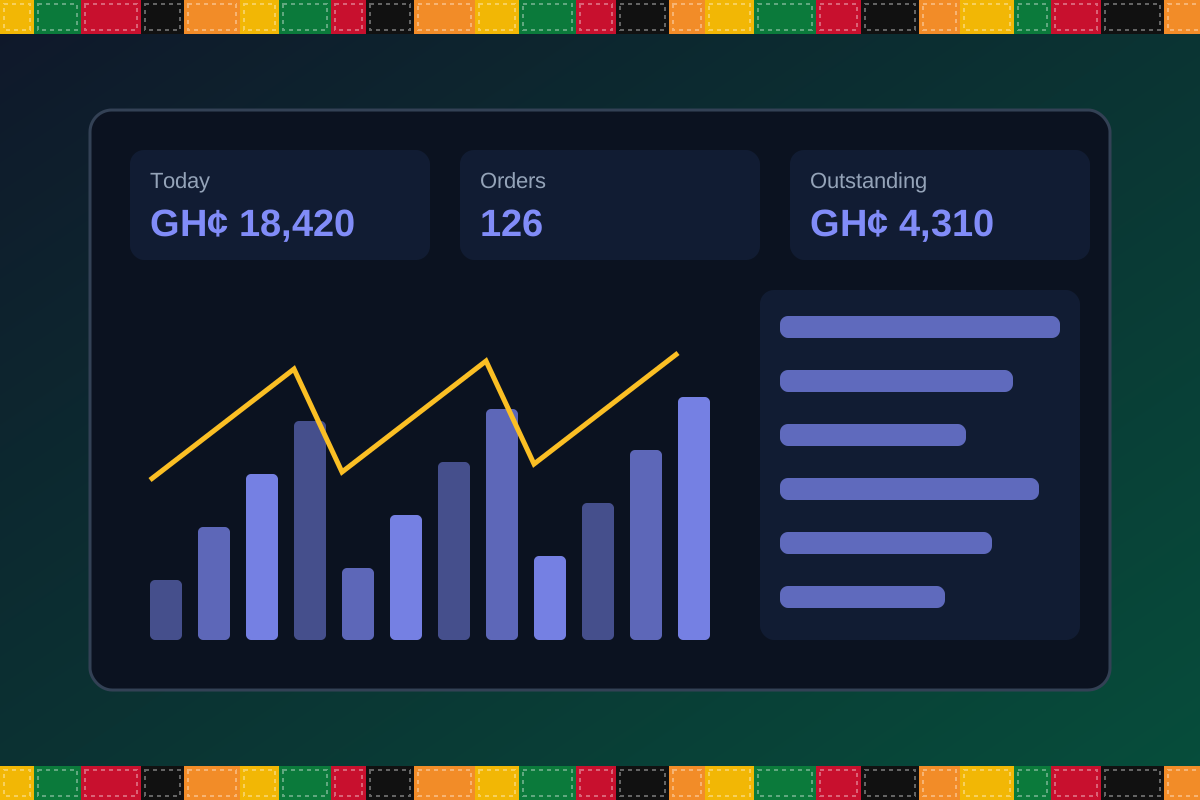
Reports & insight
Dashboard image is illustrative. Report content is agreed during implementation.
Your workflow, step by step
Record items with serial numbers.
Cash, instalment or Mobile Money.
Start warranty from sale date.
Track due dates and arrears.
Handle repair jobs and spare parts.
Is it right for you?
What you will need
Exact hardware and connectivity are confirmed during your consultation.
Your first win
Look up any serial number and its warranty status.
Scope and timelines are agreed after consultation.
How it works
A practical operating cycle helps your team capture work consistently and gives management a clearer view of what is happening across the organization.
Capture the people, products, services, locations or jobs your operation needs to manage.
Move each transaction through the appropriate operational steps with clear responsibility and status.
Review activity, exceptions, balances and performance using consolidated operational views.
Use reports and historical records to identify bottlenecks, control costs and plan next actions.
Your operation
One clearer picture.
Organized records. Connected processes. Better oversight.
Made to fit your organization
During consultation, TondeSoft can review your current processes, reporting needs, branches, staff roles and deployment preferences to define the right configuration for ElectroApplianceERP.
Tell us how your organization works. We will help identify the most suitable modules and implementation approach.
Talk to a TondeSoft ConsultantVisibility & control
Review transaction history, outstanding tasks, operational activity and management summaries in a structured way. Reporting options can be agreed during implementation to reflect the indicators that matter to your team.
Deployment conversation
Whether you operate one location or multiple branches, discuss users, data, devices, integrations, hosting and support needs with our team before deployment.
Request product information ↗Frequently asked questions
A few practical answers to help your team take the next step.
Yes. Serial-level traceability can be configured for applicable products.
Installment plans and payment tracking can be set up.
Deposit and instalment plans can be configured.
Yes. Parts issued to repairs are recorded.
Instalment plans can be configured.
Reminders can be sent through supported channels.
Trade-in handling can be configured.
Multi-location requirements can be reviewed during configuration, including user access, location-level activity and consolidated management reporting.
Yes. TondeSoft can review your current process, required approvals, reports and user roles to define the appropriate implementation scope.
Contact the TondeSoft team with your organization type, number of users and key requirements. We can then arrange a product discussion and provide a suitable proposal.
Take the next step
Request a tailored walkthrough, discuss your business requirements and find out how TondeSoft can help streamline your operations.