


One connected workspace
Keep essential operational information together instead of relying on disconnected notebooks, spreadsheets and messaging threads.

TondeSoft · Education & Health
Retail and wholesale pharmacy management system compliant with national food and drugs authorities. Features instant barcode scanning, supplier purchase orders, drug expiration forecasting, and regulated narcotics logging.
Manage medicine purchasing, batch and expiry control, dispensing, point-of-sale, prescriptions, supplier accounts and pharmacy reporting.
Designed for
Education & Health
Product focus
Connected operations
TondeSoft approach
Software that adapts to the way your business works.
A better way to manage
PharmacyERP records each delivery by batch and expiry, supports prescription dispensing and shows what is selling. Pharmacists and owners get control over stock, margins and supplier balances.
Ideal for: Community pharmacies, hospital dispensaries, wholesale pharmaceutical distributors.
Keep essential operational information together instead of relying on disconnected notebooks, spreadsheets and messaging threads.
Give team members defined responsibilities and help managers review actions, approvals and outstanding work.
Use structured records and reports to understand activity, identify exceptions and make more informed decisions.
Discuss your branches, approval steps, reports and local operating requirements during product configuration.
Designed around your industry
A useful management system should connect the work people do every day with the information owners and supervisors need to make decisions.
Medicine availability, batch traceability, expiry dates, prescriptions, supplier purchasing and daily sales must be controlled.
Manage medicine catalogue, batch receiving, expiry alerts, prescription dispensing, point-of-sale, returns and supplier accounts.
Review fast-moving medicines, near-expiry stock, reorder needs, gross margin, controlled-item records and cashier reconciliation.
Problems we solve
Near-expiry reports prompt timely rotation and supplier returns.
Every sale reduces stock by batch.
Supplier accounts track purchases and payments.
Before and after
System capabilities
A closer look at the functions that can support your day-to-day activities. The final module setup can be aligned to your organization’s processes.
Trace batches, dates and movements so teams can investigate quality, expiry or production issues.
Support prescription review, dispensing records and medicine traceability in the pharmacy workflow.
Manage generic drug substitute matching with consistent records, clear ownership and information that can be reviewed by the right team members.
Manage wholesale pack breakdown pricing with consistent records, clear ownership and information that can be reviewed by the right team members.
Turn daily activity into useful summaries for supervisors, owners and management.
Manage user roles and access control with consistent records, clear ownership and information that can be reviewed by the right team members.
Module explorer
Search the 22 modules covered in the feature catalogue to find the exact function you need.
Provides an at-a-glance operational view of the pharmacy — the central starting point for navigating key activities and monitoring the business.
Supports the front-line sales workflow, giving staff a dedicated point for processing pharmacy transactions and serving customers efficiently.
Provides a historical view of sales transactions so users can review previous activity, trace transactions and support reconciliation or reporting.
Central stock-management area for keeping track of medicines and other pharmacy items, supporting better stock visibility and control.
Supports purchasing and replenishment workflows, helping the pharmacy manage the process of acquiring stock from suppliers.
Provides a structured way to move stock between branches, stores or designated stock locations while maintaining an auditable transfer process.
Provides a dedicated area for managing patient records and keeping patient-related information organized within the pharmacy system.
Supports prescription-related workflows, helping staff record, review and manage medicines supplied against prescriptions.
Helps staff identify and monitor products approaching expiry so action can be taken before stock becomes unusable.
Provides a workflow for recording stock that is spoiled, damaged or otherwise unsuitable for sale, supporting inventory accountability.
Supports the recording and management of returned items or transactions, helping maintain accurate stock and transaction records.
Provides a dedicated workspace for managing National Health Insurance Scheme claim-related activity and keeping claim processing separate from…
Helps track customers or accounts with outstanding balances, supporting follow-up and better visibility of money owed to the pharmacy.
Provides a workflow for managing items or purchases placed on layaway, helping staff track the financial status of these arrangements.
Records money paid out from the business, supporting clearer cash accountability and financial reconciliation.
Provides a structured area for capturing business expenses so operating costs can be tracked and incorporated into financial oversight.
Supports payroll-related administration, giving the business a dedicated place for managing staff pay information and payroll activity.
Provides the broader accounting workspace for organizing and monitoring the financial side of pharmacy operations.
Brings business information into reportable form, supporting management review, analysis and decision-making across operational and financial areas.
Provides a central area for managing staff information and supporting the administration of employees using the pharmacy system.
Controls system users and role-based access, helping organizations assign appropriate permissions to different categories of staff.
Provides the configuration area for adjusting system-level preferences and operational settings used by the ERP.
No module matches that search. Ask us on WhatsApp; custom modules can be built.
Built with African operations in mind
Designed for organizations operating in Ghana and across Africa, where teams may need clear multi-branch oversight, Ghana cedi reporting, Mobile Money and cash collection visibility, SMS or WhatsApp communication, and practical workflows for local operations. Specific integrations and regulatory requirements are confirmed during solution scoping.

TondeSoft · Ghana
Local understanding. Connected business systems.
A day with PharmacyERP
A stock delivery is received with batch and expiry dates, the pharmacist dispenses against a prescription, the system warns of near-expiry stock, and the owner reviews sales and margin at closing.
Illustrative scenario. Actual workflows are configured with your team during implementation.
Who uses it
Role-based access helps each person see and do what their job requires.
Reviews stock, expiry exposure and margin.
Dispenses and checks prescriptions and controlled items.
Processes sales, returns and payments.
Raises orders and tracks supplier balances.
More capabilities
Maintain generics, brands, strengths and units.
Receive and sell by batch with expiry alerts.
Capture prescriber, patient and items dispensed.
Order, receive and track supplier invoices.
Handle credit customers and institutional accounts.
Transfer stock and consolidate reports across outlets.
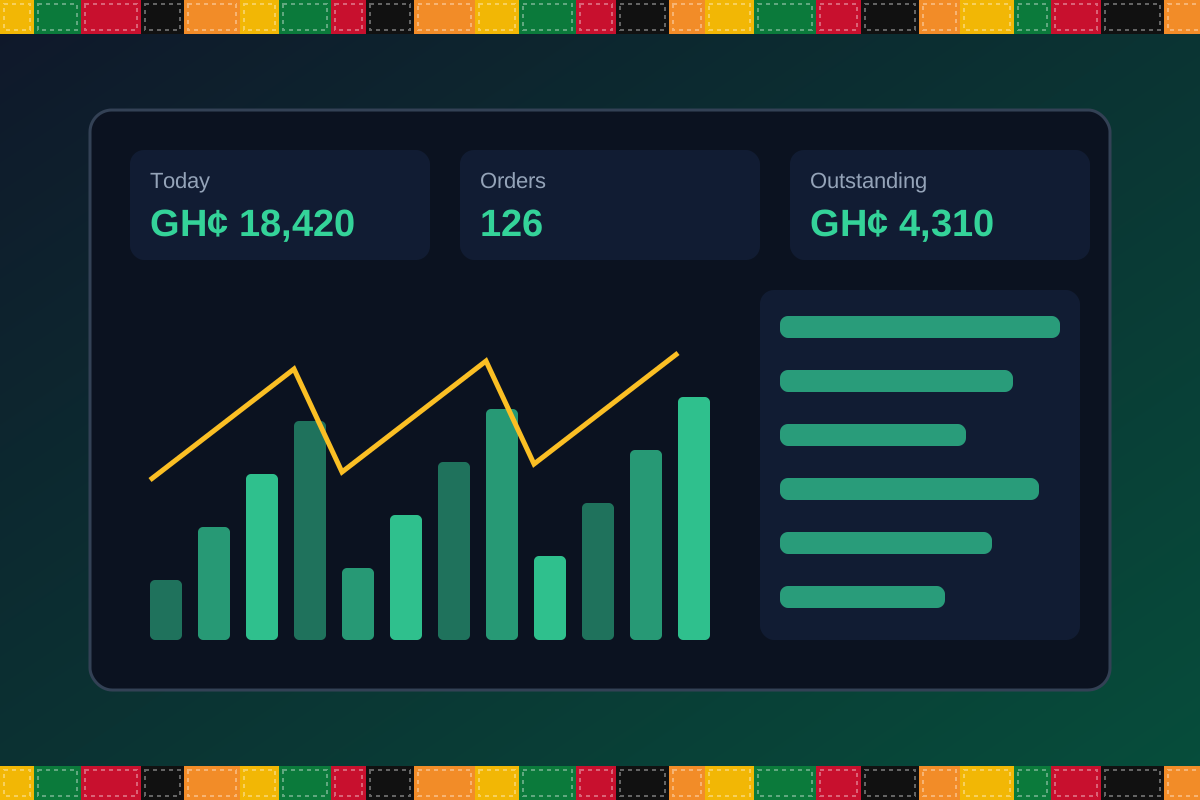
Reports & insight
Dashboard image is illustrative. Report content is agreed during implementation.
Your workflow, step by step
Record invoices with batch and expiry.
Process prescriptions or over-the-counter sales.
See low-stock and near-expiry lists.
Raise supplier orders.
Check margins, suppliers and sales.
Is it right for you?
What you will need
Exact hardware and connectivity are confirmed during your consultation.
Your first win
Get a near-expiry list before items become losses.
Scope and timelines are agreed after consultation.
How it works
A practical operating cycle helps your team capture work consistently and gives management a clearer view of what is happening across the organization.
Capture the people, products, services, locations or jobs your operation needs to manage.
Move each transaction through the appropriate operational steps with clear responsibility and status.
Review activity, exceptions, balances and performance using consolidated operational views.
Use reports and historical records to identify bottlenecks, control costs and plan next actions.
Your operation
One clearer picture.
Organized records. Connected processes. Better oversight.
Made to fit your organization
During consultation, TondeSoft can review your current processes, reporting needs, branches, staff roles and deployment preferences to define the right configuration for PharmacyERP.
Tell us how your organization works. We will help identify the most suitable modules and implementation approach.
Talk to a TondeSoft ConsultantVisibility & control
Review transaction history, outstanding tasks, operational activity and management summaries in a structured way. Reporting options can be agreed during implementation to reflect the indicators that matter to your team.
Deployment conversation
Whether you operate one location or multiple branches, discuss users, data, devices, integrations, hosting and support needs with our team before deployment.
Request product information ↗Frequently asked questions
A few practical answers to help your team take the next step.
Yes. Expiry reports and alerts help teams act before stock expires.
Branch-level stock and consolidated reporting can be configured.
Multiple price levels can be configured.
Registers for controlled items can be configured with restricted access.
Multiple units of measure can be configured.
Supplier accounts and balances are tracked.
Account-based customers can be configured; scheme specifics are reviewed in scoping.
Multi-location requirements can be reviewed during configuration, including user access, location-level activity and consolidated management reporting.
Yes. TondeSoft can review your current process, required approvals, reports and user roles to define the appropriate implementation scope.
Contact the TondeSoft team with your organization type, number of users and key requirements. We can then arrange a product discussion and provide a suitable proposal.
Take the next step
Request a tailored walkthrough, discuss your business requirements and find out how TondeSoft can help streamline your operations.