


One connected workspace
Keep essential operational information together instead of relying on disconnected notebooks, spreadsheets and messaging threads.

TondeSoft · Éducation & santé
Complete institutional governance platform for basic schools, high schools, and colleges. Automates terminal assessment grading, fee invoices with Mobile Money reconciliation, teacher timetabling, and bus fleet routing.
Bring admissions, student records, academics, attendance, fees, examinations, communication and school administration together.
Designed for
Éducation & santé
Product focus
Connected operations
TondeSoft approach
Software that adapts to the way your business works.
A better way to manage
SchoolERP keeps pupil records, attendance, assessments, timetables and fees connected. Teachers spend less time on paperwork, bursars see who has paid, and parents receive clearer information.
Ideal for: Private basic schools, international academies, senior high schools, colleges.
Keep essential operational information together instead of relying on disconnected notebooks, spreadsheets and messaging threads.
Give team members defined responsibilities and help managers review actions, approvals and outstanding work.
Use structured records and reports to understand activity, identify exceptions and make more informed decisions.
Discuss your branches, approval steps, reports and local operating requirements during product configuration.
Designed around your industry
A useful management system should connect the work people do every day with the information owners and supervisors need to make decisions.
Admissions, attendance, lesson records, examinations, fees and parent communication can become difficult to coordinate across classes and terms.
Manage student lifecycle, class lists, timetables, assessments, report cards, fee invoices and communication workflows.
Monitor enrolment, attendance, academic performance, fee balances and activity by class, term or campus.
Problems we solve
Invoices, payments and balances are tracked per pupil, class and term.
Scores flow into configurable report cards and rankings.
Daily attendance is captured by class and summarised for follow-up.
Before and after
System capabilities
A closer look at the functions that can support your day-to-day activities. The final module setup can be aligned to your organization’s processes.
Turn daily activity into useful summaries for supervisors, owners and management.
Record collections and payment methods, then review unsettled balances and daily reconciliation.
Assign responsibilities, monitor attendance or work allocation and keep team records organized.
Manage school bus fleet route & pickup alerts with consistent records, clear ownership and information that can be reviewed by the right team members.
Manage parent portal & bulk sms academic notices with consistent records, clear ownership and information that can be reviewed by the right team members.
Manage user roles and access control with consistent records, clear ownership and information that can be reviewed by the right team members.
Module explorer
Search the 60 modules covered in the feature catalogue to find the exact function you need.
School management and authorized administrators can manage students, admissions, academics, finance, staff & HR, operations, communication, reports…
Teachers and academic staff can access relevant classes, subjects, timetables, lesson plans, attendance, examinations, mark entry, results, report…
Parents/guardians can securely access relevant student information, academic progress, attendance, fees/invoices, report cards, communication and…
Send school notices, reminders, alerts, fee notifications, attendance messages, announcements and other approved communications to parents…
Enable digital fee/payment workflows through mobile money integration, helping parents make payments conveniently while supporting payment tracking…
Manage admission workflows and maintain organized records from application through enrollment.
Search, view and manage the complete student register.
Create and maintain detailed student profiles.
Manage student identification records and ID card administration.
Maintain parent and guardian information and link guardians to students.
Move students to the next class or level while maintaining organized records.
Set up classes, streams and academic groupings.
Create and manage subjects taught across classes and levels.
Organize class and subject schedules.
Prepare, organize and manage lesson plans.
Manage examinations and assessment workflows.
Enter and manage assessment and examination marks.
Record learner skills, competencies and behavioral observations.
Compile and review academic results.
Prepare structured report cards for parents and guardians.
View consolidated school financial activities.
Create and manage invoices and payment obligations.
Generate billing for groups of students efficiently.
Define and manage school fee structures and payment schedules.
Record, track and manage student payments received against invoices and school fees.
Manage student feeding charges and related fee records as part of the school's finance operations.
Maintain accounting records and support financial tracking.
Record and monitor school expenses.
Manage approved scholarships, concessions and discounts.
Maintain a central staff register.
Create staff profiles and employment information.
Organize employees into departments.
Track staff attendance and availability.
Manage staff identification and ID card administration.
Receive, manage and track leave requests.
Support organized payroll and compensation administration.
Coordinate substitute-teacher assignments.
Provide an overview of learning-management activities.
Support computer-based examinations and online assessment.
Maintain relevant student health and clinic records.
Record incidents, disciplinary actions and follow-up activities.
Maintain alumni information and engagement.
Receive, record and follow up on complaints, suggestions and feedback.
Manage library-related activities and records.
Support boarding/hostel administration.
Manage school transport information and operations.
Track school assets, supplies and inventory.
Plan and manage school events and important dates.
Record and monitor visitors and gate-entry activities.
Support structured school-wide communication and information sharing.
Send approved bulk or targeted SMS notifications, reminders and alerts.
Enable direct communication among authorized users.
Turn school data into useful insights for monitoring trends and decision-making.
Control accounts, roles and access rights.
Configure system-wide preferences and settings.
Provide administrative data-management tools.
Record relevant system activities for traceability and oversight.
Manage multiple branches or campuses from a coordinated environment.
Generate consolidated reports across branches for group-level oversight.
Ensure users see and use only the modules and information assigned to their roles and permissions.
No module matches that search. Ask us on WhatsApp; custom modules can be built.
Built with African operations in mind
Designed for organizations operating in Ghana and across Africa, where teams may need clear multi-branch oversight, Ghana cedi reporting, Mobile Money and cash collection visibility, SMS or WhatsApp communication, and practical workflows for local operations. Specific integrations and regulatory requirements are confirmed during solution scoping.

TondeSoft · Ghana
Local understanding. Connected business systems.
A day with SchoolERP
At the start of term the admissions officer enrols new pupils, bursar issues fee invoices, teachers take attendance on tablets, and at term end report cards are generated and parents see fee balances and results.
Illustrative scenario. Actual workflows are configured with your team during implementation.
Who uses it
Role-based access helps each person see and do what their job requires.
Monitors enrolment, results, attendance and fee collection.
Record attendance, scores, remarks and lesson information.
Issues invoices, records payments and follows up arrears.
View results, balances and school announcements where enabled.
More capabilities
Capture applications, documents, placement decisions and student numbers.
Define fees per class and apply discounts or sponsored students.
Configure grading scales, remarks and printable terminal reports.
Plan classes, teachers and rooms to avoid clashes.
Send notices, fee reminders and results alerts through supported channels.
Optional records for boarders, school buses and meal plans.
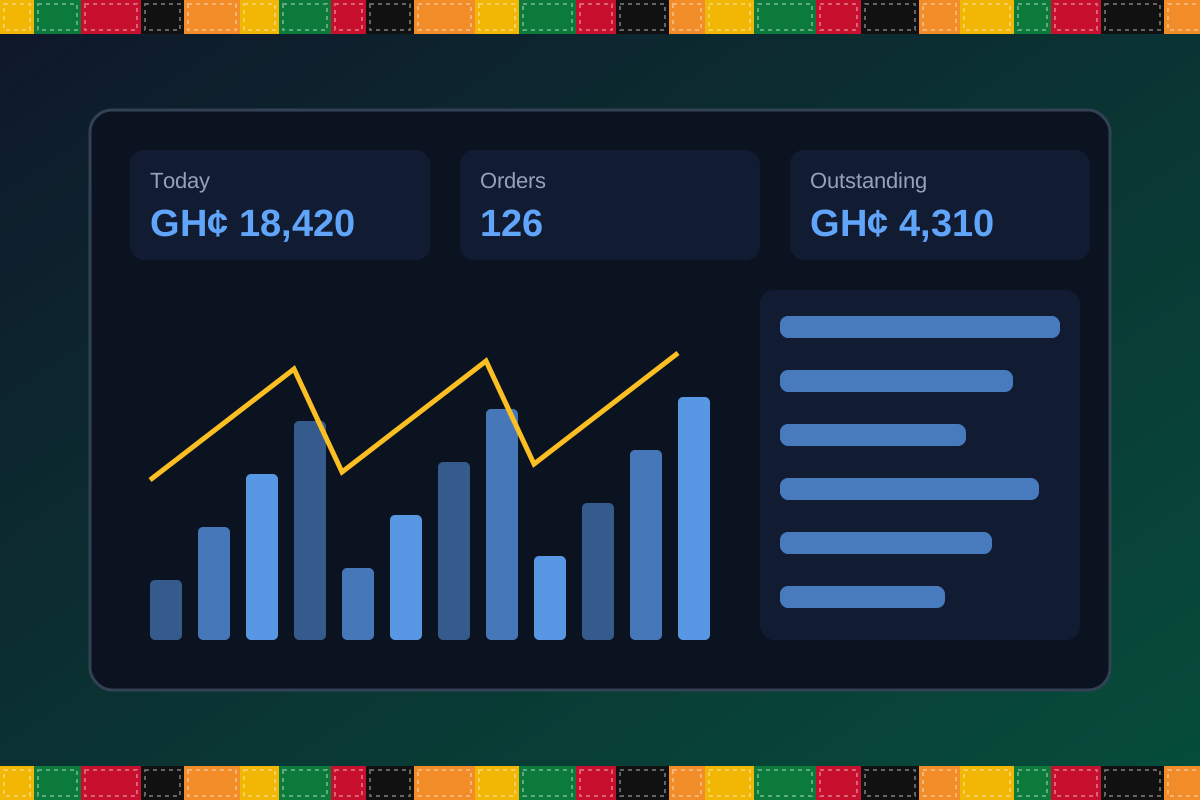
Reports & insight
Dashboard image is illustrative. Report content is agreed during implementation.
Your workflow, step by step
Register pupils, guardians and class placement.
Define fee structures, discounts and payment plans.
Take attendance and enter assessment scores.
Generate report cards, rankings and remarks.
Track arrears and communicate with parents.
Is it right for you?
What you will need
Exact hardware and connectivity are confirmed during your consultation.
Your first win
Print a clear fee-arrears list by class on day one.
Scope and timelines are agreed after consultation.
How it works
A practical operating cycle helps your team capture work consistently and gives management a clearer view of what is happening across the organization.
Capture the people, products, services, locations or jobs your operation needs to manage.
Move each transaction through the appropriate operational steps with clear responsibility and status.
Review activity, exceptions, balances and performance using consolidated operational views.
Use reports and historical records to identify bottlenecks, control costs and plan next actions.
Your operation
One clearer picture.
Organized records. Connected processes. Better oversight.
Made to fit your organization
During consultation, TondeSoft can review your current processes, reporting needs, branches, staff roles and deployment preferences to define the right configuration for SchoolERP.
Tell us how your organization works. We will help identify the most suitable modules and implementation approach.
Talk to a TondeSoft ConsultantVisibility & control
Review transaction history, outstanding tasks, operational activity and management summaries in a structured way. Reporting options can be agreed during implementation to reflect the indicators that matter to your team.
Deployment conversation
Whether you operate one location or multiple branches, discuss users, data, devices, integrations, hosting and support needs with our team before deployment.
Request product information ↗Frequently asked questions
A few practical answers to help your team take the next step.
Grading scales, subjects and report layouts can be configured to match your school’s assessment structure.
A parent view or notifications can be configured, subject to your access and privacy requirements.
Optional fee items such as boarding, transport and canteen can be configured.
Role-based access limits what teachers and staff can view or edit.
Teacher entry from permitted devices can be configured.
Yes. Terms, academic years and promotions are supported.
Printable layouts can be configured.
Multi-location requirements can be reviewed during configuration, including user access, location-level activity and consolidated management reporting.
Yes. TondeSoft can review your current process, required approvals, reports and user roles to define the appropriate implementation scope.
Contact the TondeSoft team with your organization type, number of users and key requirements. We can then arrange a product discussion and provide a suitable proposal.
Take the next step
Request a tailored walkthrough, discuss your business requirements and find out how TondeSoft can help streamline your operations.